Showcasing Effective Product Design Videos

Product design videos have become a powerful tool for creators, marketers, and businesses to communicate the value and functionality of their products. These videos do more than just show a product; they tell a story, demonstrate usability, and engage viewers in a way static images or text cannot. Creating an effective product design video requires a clear strategy, attention to detail, and an understanding of what resonates with the audience.
This post explores how to create compelling product design videos that capture attention, explain features clearly, and inspire action. Whether you are a designer, marketer, or entrepreneur, these insights will help you showcase your products in the best light.
Why Product Design Videos Matter
People process visual information faster than text. Videos combine visuals, motion, and sound to create a rich experience that helps viewers understand complex products quickly. Here are some reasons why product design videos are essential:
Show functionality clearly: Videos can demonstrate how a product works in real time, making it easier for viewers to grasp its benefits.
Build trust: Seeing a product in action reduces uncertainty and builds confidence in its quality.
Engage emotions: Storytelling through video can connect with viewers on an emotional level, making the product memorable.
Increase conversion: Well-made videos can boost sales by answering questions and reducing hesitation.
A product design video is not just a showcase; it is a bridge between the product and the customer’s understanding.
Planning Your Product Design Video
Before filming, planning is crucial. A clear plan ensures the video stays focused and delivers the intended message. Consider these steps:
Define Your Goal
What do you want the video to achieve? Common goals include:
Explaining how the product works
Highlighting unique features
Demonstrating use cases
Encouraging purchase or sign-up
Knowing your goal helps shape the content and style.
Understand Your Audience
Who will watch the video? Different audiences have different needs:
Technical users might want detailed explanations
Casual buyers prefer simple, clear benefits
Designers may appreciate behind-the-scenes insights
Tailor your video tone and content accordingly.
Create a Script or Storyboard
Outline the video flow. A script or storyboard helps organize scenes and ensures all key points are covered. Include:
Introduction to the product
Key features and benefits
Demonstration of use
Call to action
Keep the script concise and focused on the audience’s interests.
Elements of an Effective Product Design Video
Certain elements make product design videos stand out and communicate clearly.
Clear Visuals
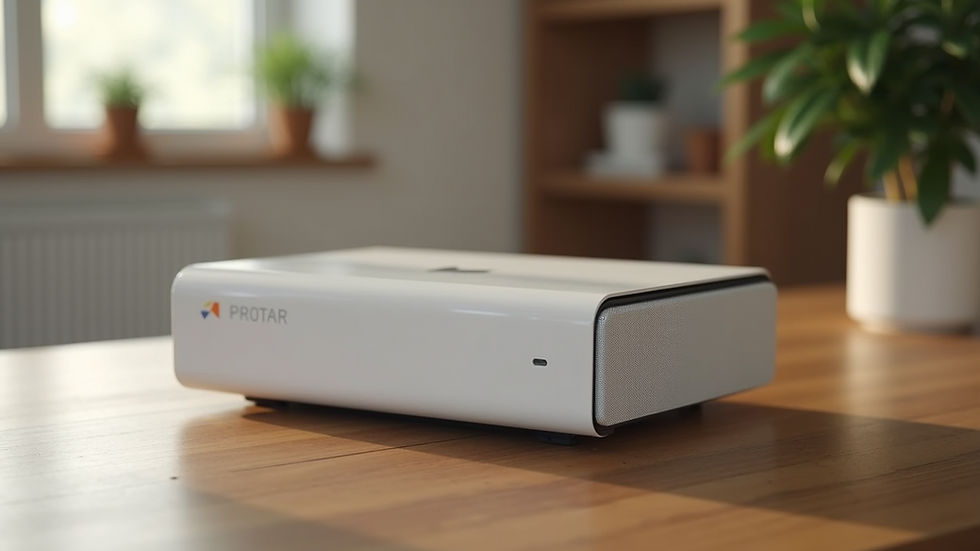
Use high-quality footage that shows the product from multiple angles. Close-ups on important details help viewers understand design features.
Simple Narration or Text
Explain what viewers see with clear narration or on-screen text. Avoid jargon and keep language straightforward.
Realistic Use Cases
Show the product in real-life situations. For example, if it’s a kitchen gadget, demonstrate it being used to prepare food. This helps viewers imagine how they might use it.
Highlight Unique Features
Focus on what makes the product different or better. Use animations or graphics to emphasize these points.
Consistent Branding
Use colors, fonts, and logos that match your brand identity. This builds recognition and professionalism.
Tools and Techniques for Creating Product Design Videos
Technology offers many options for producing high-quality videos. Here are some popular tools and techniques:
Video Recording Equipment
Use a good camera or smartphone with high resolution.
Employ a tripod for steady shots.
Use natural or soft lighting to avoid harsh shadows.
Editing Software
Programs like Adobe Premiere Pro, Final Cut Pro, or DaVinci Resolve offer powerful editing features.
For beginners, apps like iMovie or Filmora provide easy-to-use interfaces.
Animation and Motion Graphics
Tools like After Effects or Blender can create animations that explain complex features.
Motion graphics can highlight product specifications or comparisons.
Voiceover and Sound
Record clear voiceovers with a quality microphone.
Add background music that fits the product’s mood but does not distract.
Examples of Effective Product Design Videos
Looking at real examples helps understand what works well.
Example 1: Apple iPhone Launch Videos
Apple’s product videos focus on clean visuals, simple narration, and real-world use cases. They highlight key features like camera quality and user interface with close-ups and demonstrations.
Example 2: Dyson Vacuum Cleaner Demonstrations
Dyson uses slow-motion shots and animations to show how their vacuum technology works. The videos explain the science behind the product while showing it in action.
Example 3: IKEA Furniture Assembly Guides
IKEA’s videos combine clear step-by-step instructions with simple graphics. They focus on usability and ease of assembly, helping customers feel confident.
Tips for Engaging Your Audience
To keep viewers interested and encourage sharing, consider these tips:
Start with a hook: Begin with a problem the product solves or an impressive feature.
Keep it short: Aim for 1-3 minutes to maintain attention.
Use storytelling: Show how the product fits into a user’s life.
Include a call to action: Tell viewers what to do next, like visiting a website or trying a demo.
Test and improve: Gather feedback and analyze viewer engagement to refine future videos.
Measuring Success of Your Product Design Videos
Tracking how your videos perform helps improve your strategy. Key metrics include:
View count: How many people watched the video.
Watch time: How long viewers stay engaged.
Click-through rate: How many viewers take the next step.
Conversion rate: How many viewers become customers.
Use platforms like YouTube Analytics or video hosting services to access these insights.
Creating effective product design videos requires a balance of clear communication, engaging visuals, and understanding your audience. By planning carefully and focusing on what matters most to viewers, you can showcase your products in a way that drives interest and sales.
Start by defining your goals and audience, then craft a story that highlights your product’s strengths. Use quality visuals and simple explanations to make your message clear. Finally, measure your results and keep improving.
Your next product design video could be the key to connecting with customers and standing out in a crowded market.


Comments